Choosing devices: laptops, monitors, tablets, other
What each device type covers, which sizes are supported, and how Raal packaging and accessories work.
Written By Andres Kõiva
Last updated 5 days ago
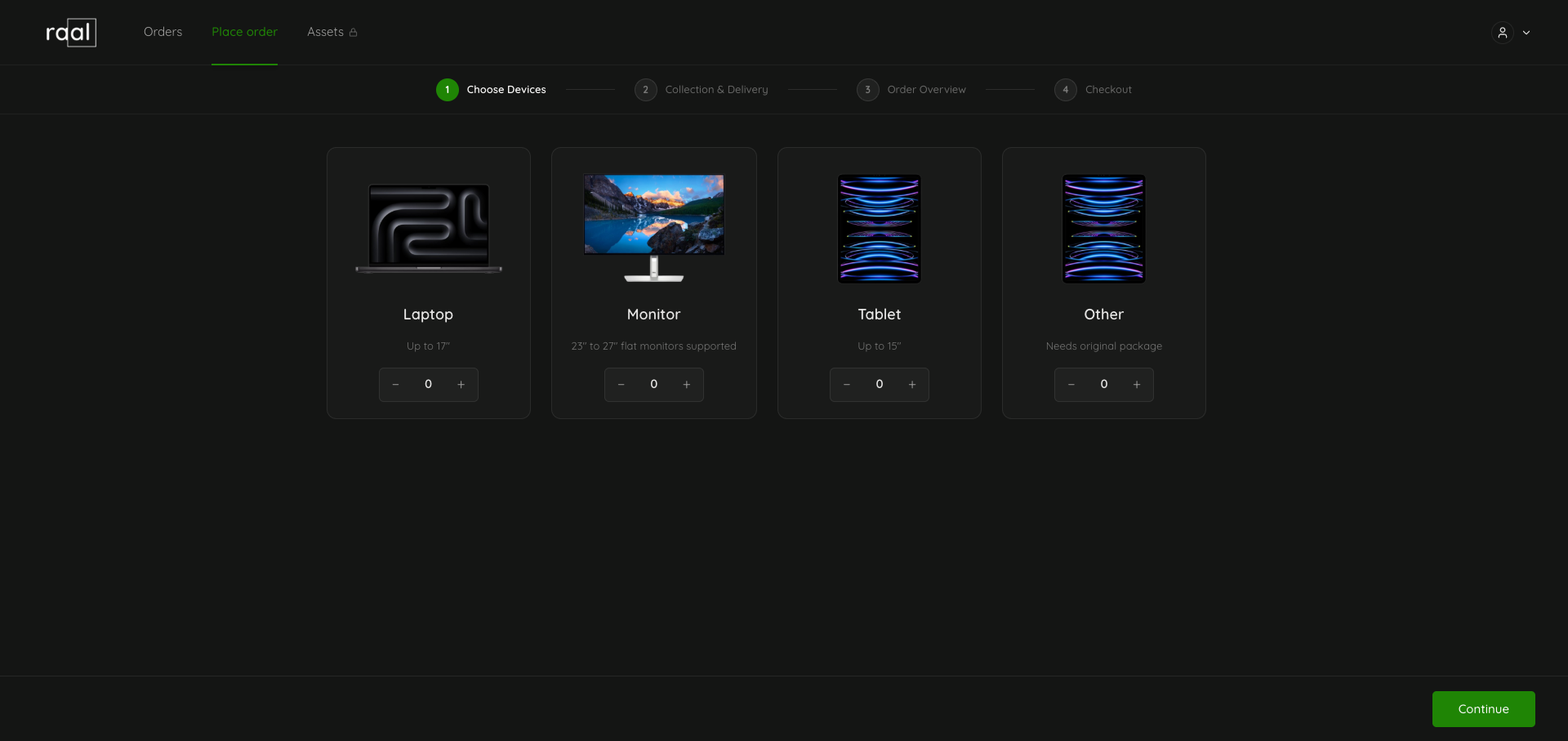
Raal ships four device types. Pick the type that matches what you are sending: the platform uses it to work out packaging, customs codes, and price.
The four types
Laptop: up to 17 inches. The most common shipment type, and the only type available on every lane.
Monitor: 23 to 27 inch flat monitors.
Tablet: up to 15 inches, which covers most iPads and Surface tablets.
Other: anything that does not fit the categories above. This type needs the original manufacturer packaging, because Raal does not supply a box for it.
Which types are available on your lane
On Step 1 all four tiles are shown, because Raal does not know your route yet. Once you have entered the collection and delivery countries, the add-device list on Step 3 offers Monitor, Tablet, and Other only when both ends are inside the EU zone. Laptop is always offered.
If a type you need is missing from that list, check the two countries on Step 2 first.
How to add devices
On Step 1, use the − and + buttons on a tile to set a quantity.
On Step 3, use the + at the top right of "Items to deliver" to add more.
You can have up to four devices that contain batteries in one order. To send more, place a second order or contact support to arrange a bulk shipment.
An order always keeps at least one device. The delete icon on the last remaining row is disabled and reads "Cannot remove last device".
What "Raal Packaging" means
Each device row on Step 3 has a Raal Packaging checkbox, ticked by default.
Ticked: Raal ships a transport box with packing instructions to the collection point first, the sender packs the device into it, and pickup follows. This adds 100 OPS cost and a few days to the timeline.
Unticked: the sender uses their own box and the courier collects directly. This consumes 50 OPS.
Accessories
On the Laptop and Monitor rows, if you use Raal packaging, you can add accessories with the + in the Add Accessories column: Headphones, Mouse, Keyboard, and Cables. They travel in the same box as the device, and each accessory row shows "Packed with device".
Two things to know:
Each accessory needs its own item value, greater than zero, just like a device.
Accessories are only available while Raal Packaging is ticked. If you untick it, any accessories already added to that device are removed.
Accessories consume 10 OPS per item.