Update your name, phone, and default address
Where to edit your personal information in the Raal portal.
Written By Andres Kõiva
Last updated About 7 hours ago
Your personal details are stored on your user profile and used to autofill order forms
Your personal details (name, phone, email, default address) are stored on your user profile and used to autofill order forms when you click Use saved address. Keep them up to date so collection and delivery cards pre-populate with the right info.
Where to edit
Click your profile picture or initial in the top right of the Raal portal.
Pick Configuration.
Open General Settings (the first item in the sidebar).
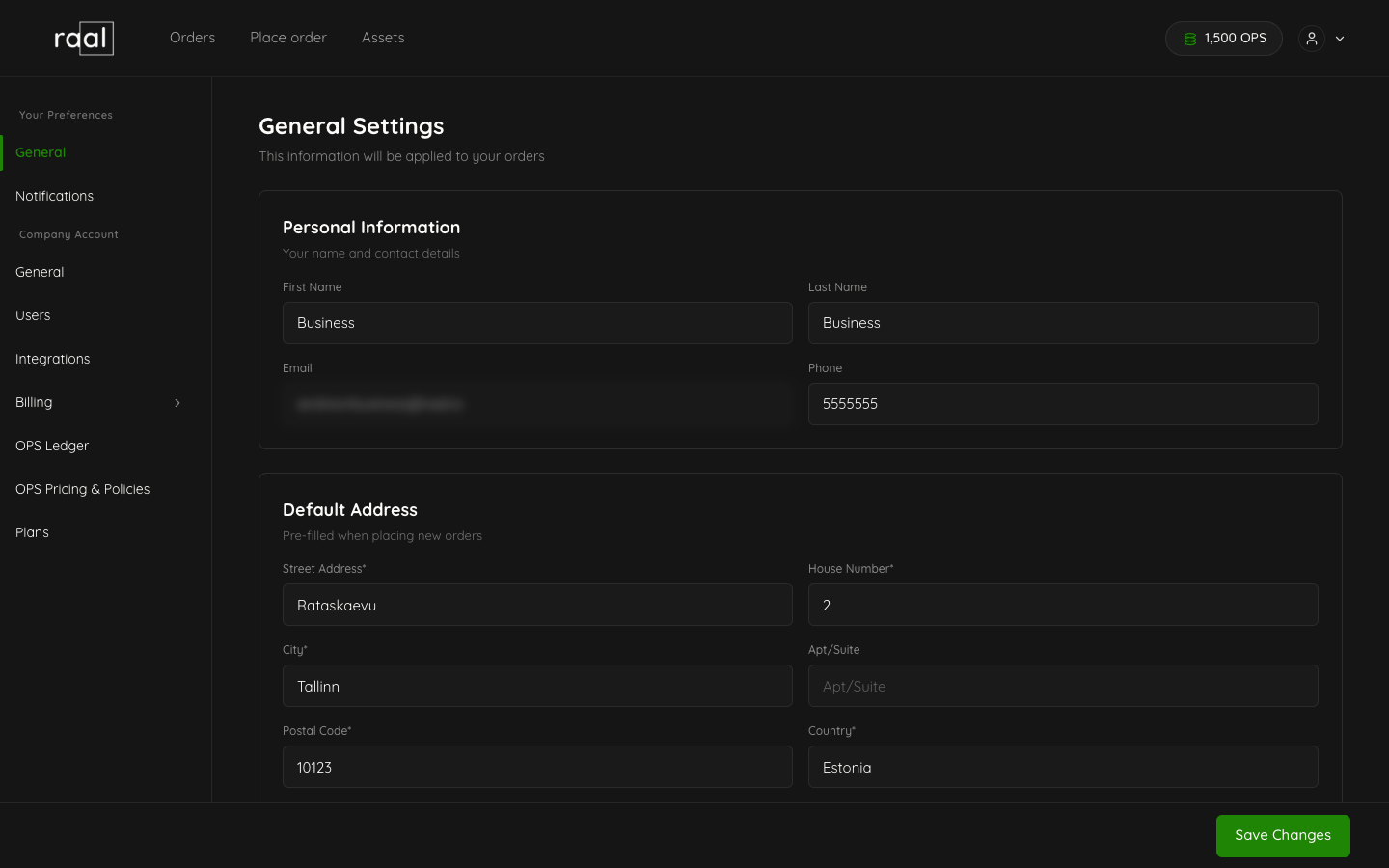
What you can change
Personal information
First Name and Last Name: used as the display name across the portal (orders, comments, user lists).
Email: read-only. Your sign-in email is locked because it identifies your account. If you need a different address, ask an Admin to invite the new one and deactivate the old user.
Phone number: used by couriers when your address is set as the collection or delivery contact.
Default address
Street Address, House Number, City, Apt/Suite, Postal Code, Country. Everything except Apt/Suite is required.
This address is what populates the order form when you toggle Use saved address on Step 2 of the new-order wizard. If you regularly ship to or from your own desk, fill this in so you don't retype it every time.
How to save
There's no separate Save button on each field; the page has one Save Changes button at the bottom. Changes apply on save and are reflected in all order forms.
What happens to existing orders
Updating your profile does not change orders that have already been placed. The data on each order is a snapshot taken at order time. Update the order via comment or contact Raal support if a correction is needed.
SSO accounts
If you signed in with Google, or through SSO, the First Name and Last Name initial values come from that provider. You can override them in Raal, but the override is local to Raal; it doesn't change anything in Google or in your identity provider.